Two Tensors blog
How we added USDT, USDC and Bitcoin payments to Two Tensors
Two Tensors now takes Bitcoin, USDT and USDC next to cards. We built it with OpenReceive, and the short version is that we copied its agent directions into our coding agent and the agent did more or less all of it. Here is the walkthrough, with screenshots.
The short version
- We pasted one link from openreceive.org into a coding agent, and it did more or less all the work of adding crypto checkout to our Rails app.
- Buyers can pay in Bitcoin (Lightning), USDT, USDC, SOL or ETH.
- Card subscriptions on Stripe kept working exactly as before.
- Crypto buyers get prepaid passes and credit packs instead of a monthly plan, because nobody can bill a crypto wallet every month.
- It has worked great so far, and we are getting lots of payments in BTC, USDT and USDC.
The walkthrough
Six screenshots, in the order things happened. The first two are on openreceive.org, and the other four are Two Tensors after the agent finished.
-
We started on openreceive.org
OpenReceive is open-source payment software (MIT licensed) that you host yourself. Customers pay in Bitcoin, USDT or USDC, and the money arrives as Bitcoin in the merchant's own wallet, so there was no account to open and no API key to set up. Instead of a signup flow, the homepage has a Copy agent directions button, and that is what we used.
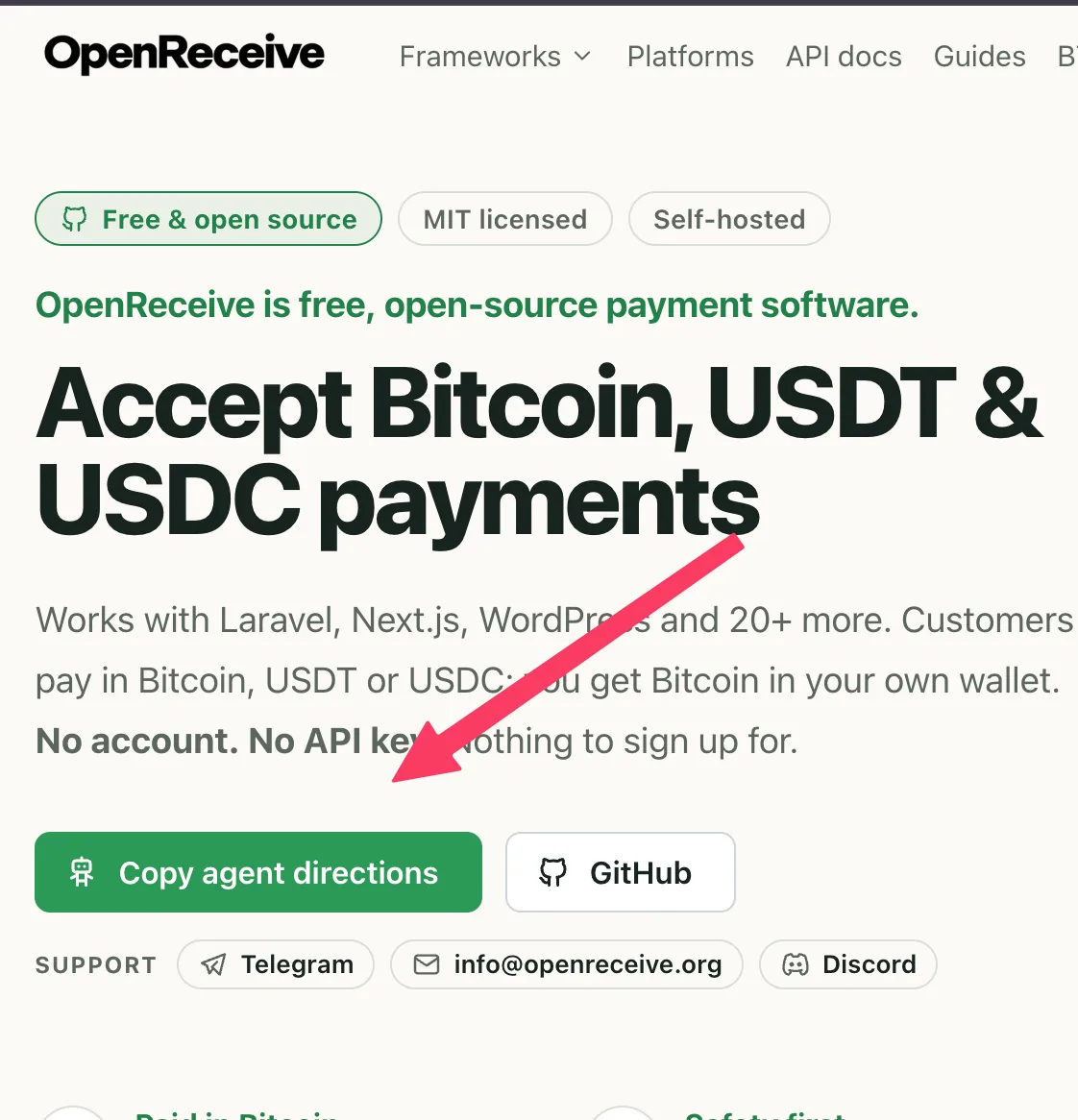
The openreceive.org homepage and the button we clicked. -
We handed the directions to our coding agent
The button opens a dialog. The first option, “Any project, or none yet”, is a single link written for coding agents. Below it is a picker with 27 stack-specific versions, but we didn't need it. We copied the link, pasted it into our coding agent and asked for crypto payments. The agent worked out that Two Tensors is a Rails app and set it up with the openreceive-rails gem, mounted inside the app we already had.
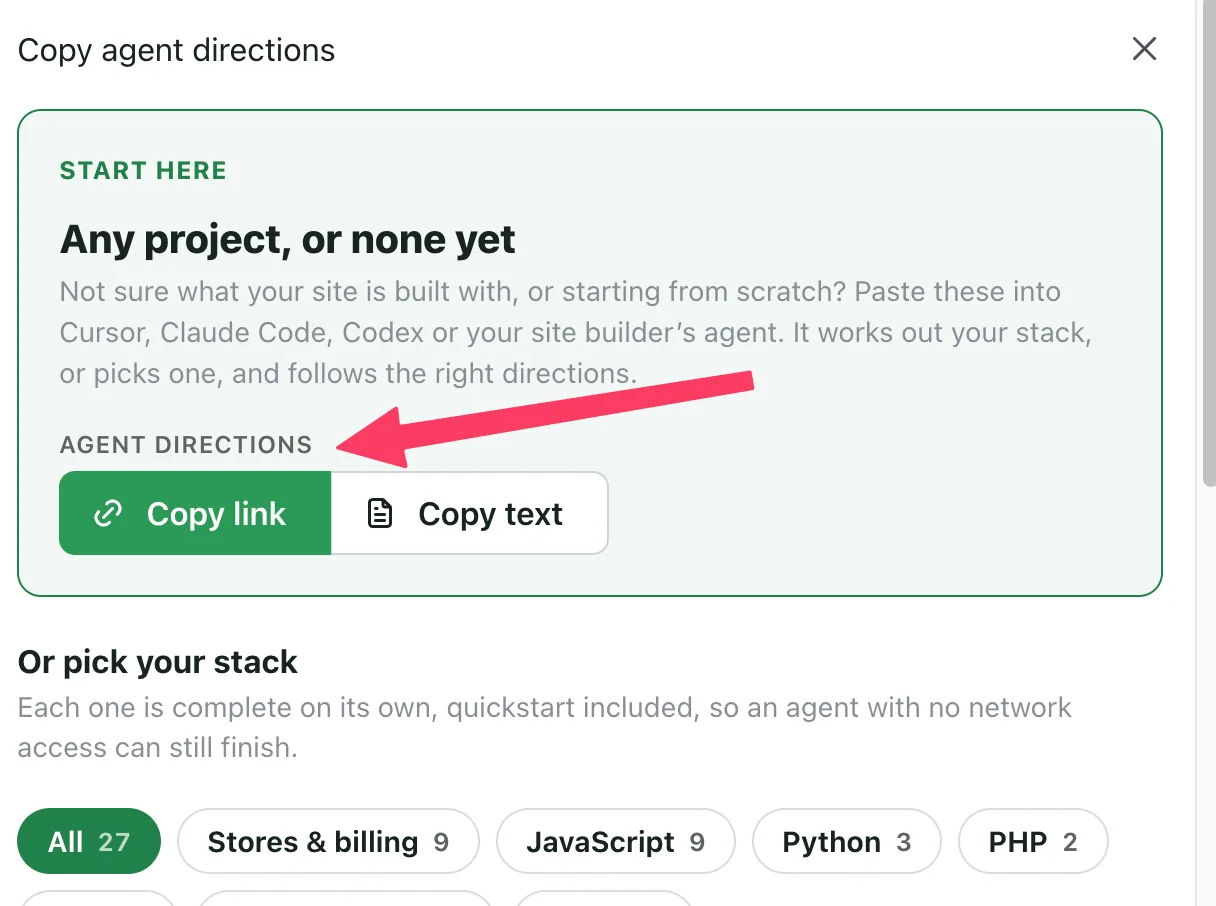
The agent directions dialog. We used the link at the top. -
Card checkout stayed the same, with one new switch
When the agent was done, the upgrade page had a new Payment method control: Pay with card or Pay with crypto. With card selected, nothing changed. Monthly and yearly Stripe subscriptions and the credit packs work the way they always did.
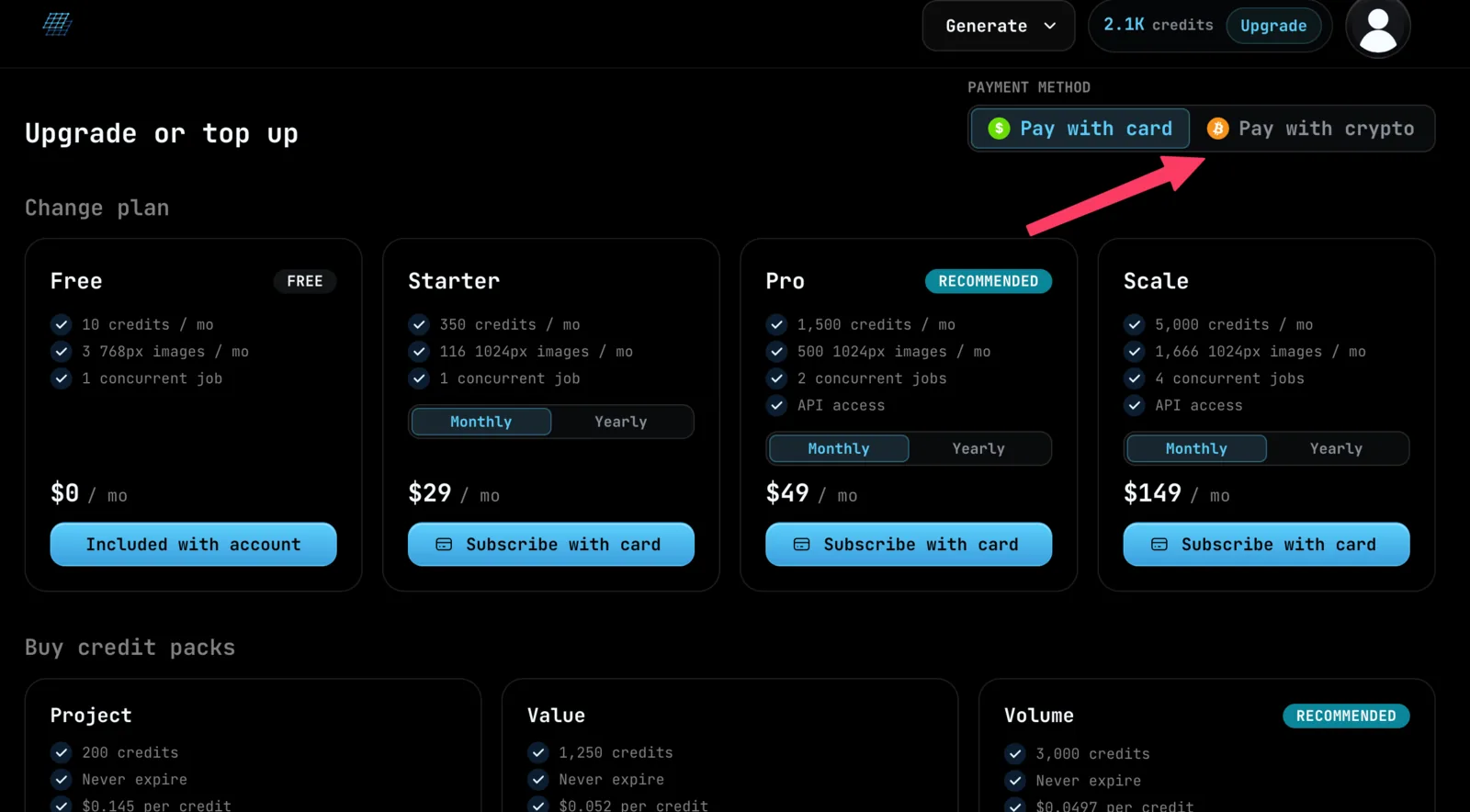
The Two Tensors upgrade page. Card is still the default. -
With crypto selected, plans become prepaid passes
The same three plans turn into one-time passes of 60, 180 or 365 days. All of a pass's credits land the moment it is paid, and nothing auto-renews, which the card says in plain words. Credit packs keep the same prices and get a Pay with crypto button.
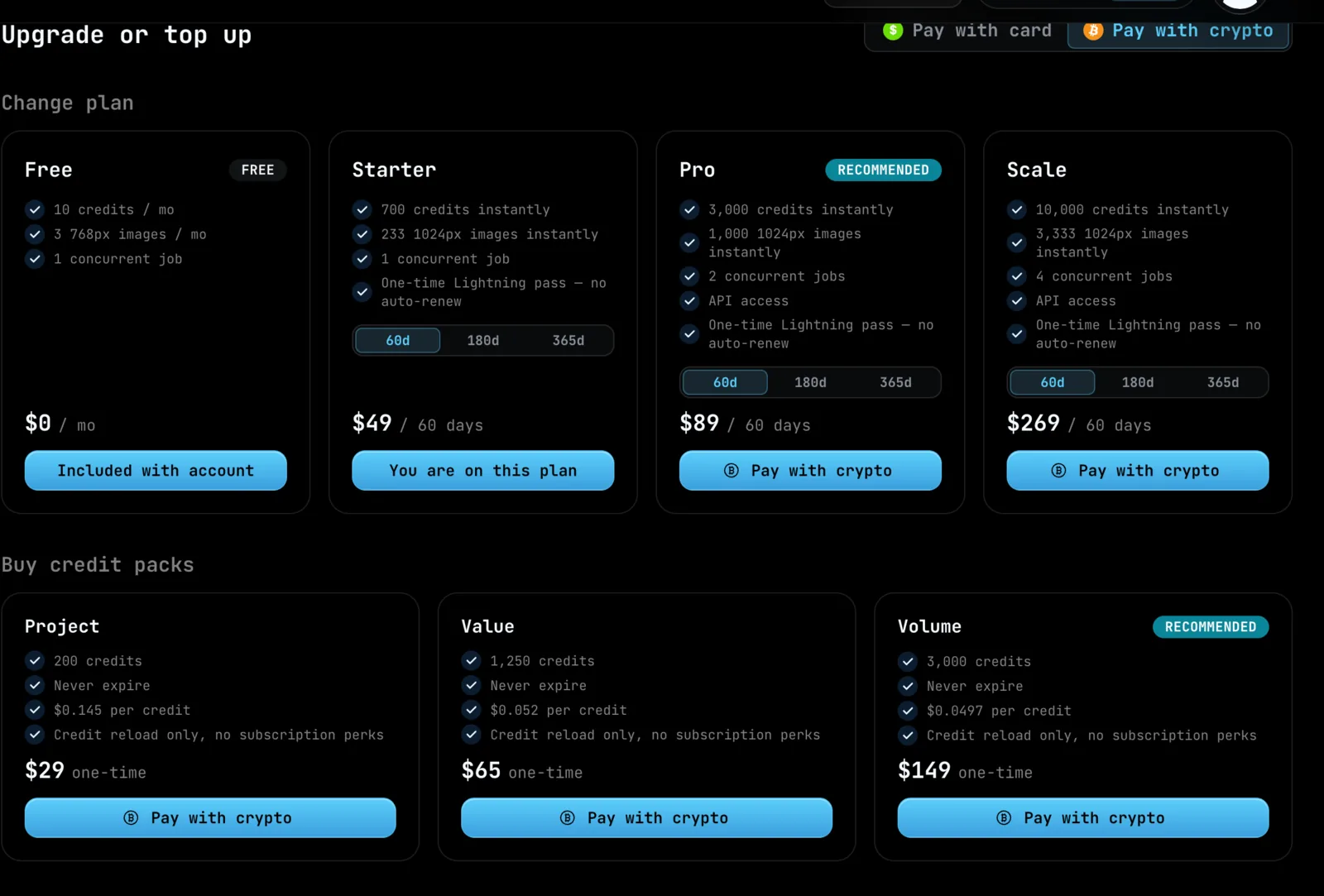
60-day passes at $49, $89 and $269, with credit packs from $29. -
The buyer picks a coin and a network
Checkout opens a Pay this invoice screen. Bitcoin goes over Lightning, USDT on Tron, Solana or Ethereum, USDC on Solana or Ethereum, and SOL and ETH are there as well. Each order gets an ID and its own checkout link, so a buyer who closes the tab halfway through can get back to the same payment.
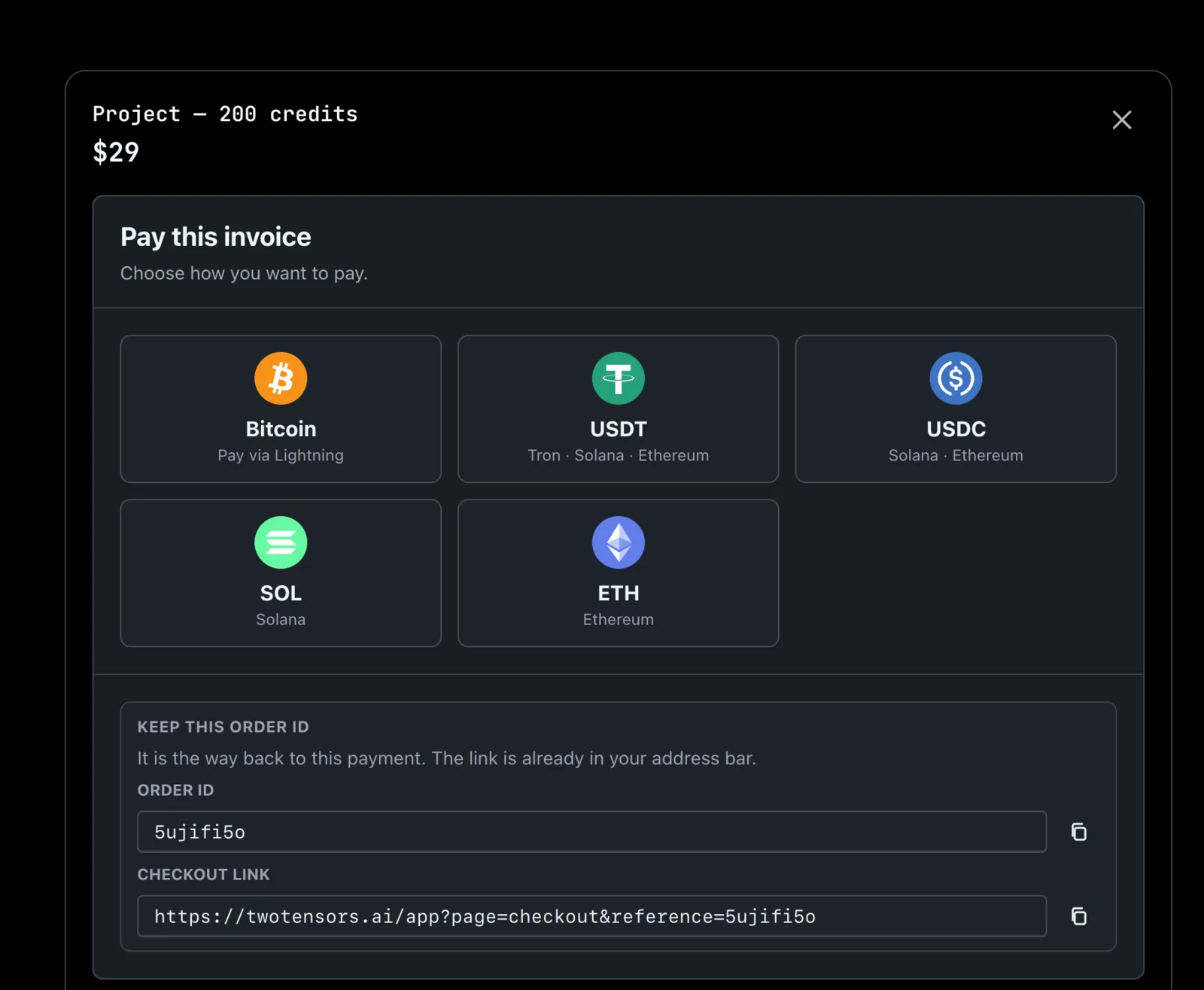
Five ways to pay, plus an order ID for getting back to an unfinished payment. -
They pay, and the credits arrive
Choosing Bitcoin produces a Lightning invoice: a QR code, the price in sats next to the dollar amount, a copy button and a short expiry timer. The page waits for settlement and then credits the account.
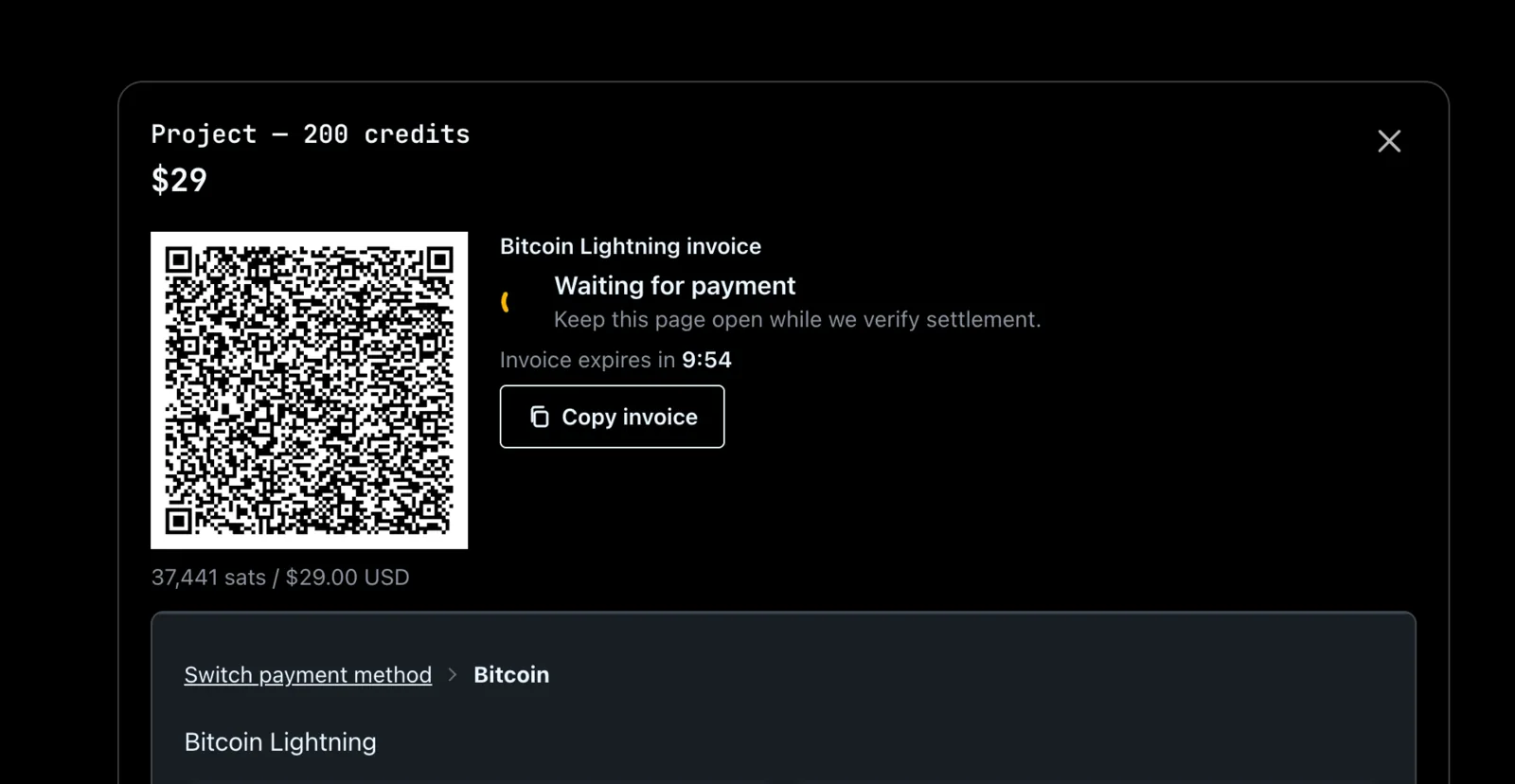
A $29 credit pack as a Lightning invoice.
Why crypto buyers get passes and credit packs
The code was the easy part. The part that needed thought was pricing, and for that we followed OpenReceive's guide to accepting Bitcoin, USDT and USDC next to Stripe almost line for line.
A card subscription works because Stripe holds the card and charges it every month. Crypto has no equivalent of that.
Nobody can pull BTC, USDT or USDC out of a customer's wallet. Every crypto payment is one the customer sends, so there is nothing to bill next month.
A crypto “monthly plan” would just be a plan that quietly lapses after 30 days, and the customer would find out when a job failed. So we did not sell one. Card customers keep their monthly subscription, and crypto customers get a pricing structure of their own:
Prepaid passes instead of subscriptions
The same plans, sold as fixed passes of 60, 180 or 365 days. The pass's credits arrive up front, the card says “no auto-renew” in plain words, and the price is below what the same months would cost on a card. Paying up front saves us card fees, failed renewals and chargebacks, so a discount for it is fair. Here is how the 60-day passes compare:
| Plan | Card | 2 months by card | 60-day crypto pass | Pass credits |
|---|---|---|---|---|
| Starter | $29 / mo 350 / mo credits |
$58 | $49 | 700, up front |
| Pro | $49 / mo 1,500 / mo credits |
$98 | $89 | 3,000, up front |
| Scale | $149 / mo 5,000 / mo credits |
$298 | $269 | 10,000, up front |
Prices as of October 31, 2026. Current prices are on the pricing page.
Credit packs that never expire
Some buyers just want to top up once and get on with their work, and credit packs suit them best. Packs cost the same in dollars whether you pay by card or in crypto (Project at $29, Value at $65, Volume at $149), and their credits never expire. Someone paying in USDT doesn't have to think about renewals or remember an end date.
Packs and passes stack. If an account has both, plan or pass credits are spent first, and pack credits stay in reserve.
How it's going
So far it has worked great. We are getting lots of payments in BTC, USDT and USDC, and the card side has kept running exactly as before.
Looking back, the code was the small part of the project. The decisions that mattered were about pricing: no crypto subscriptions, prepaid passes for people who want a plan, and credit packs for everyone else.