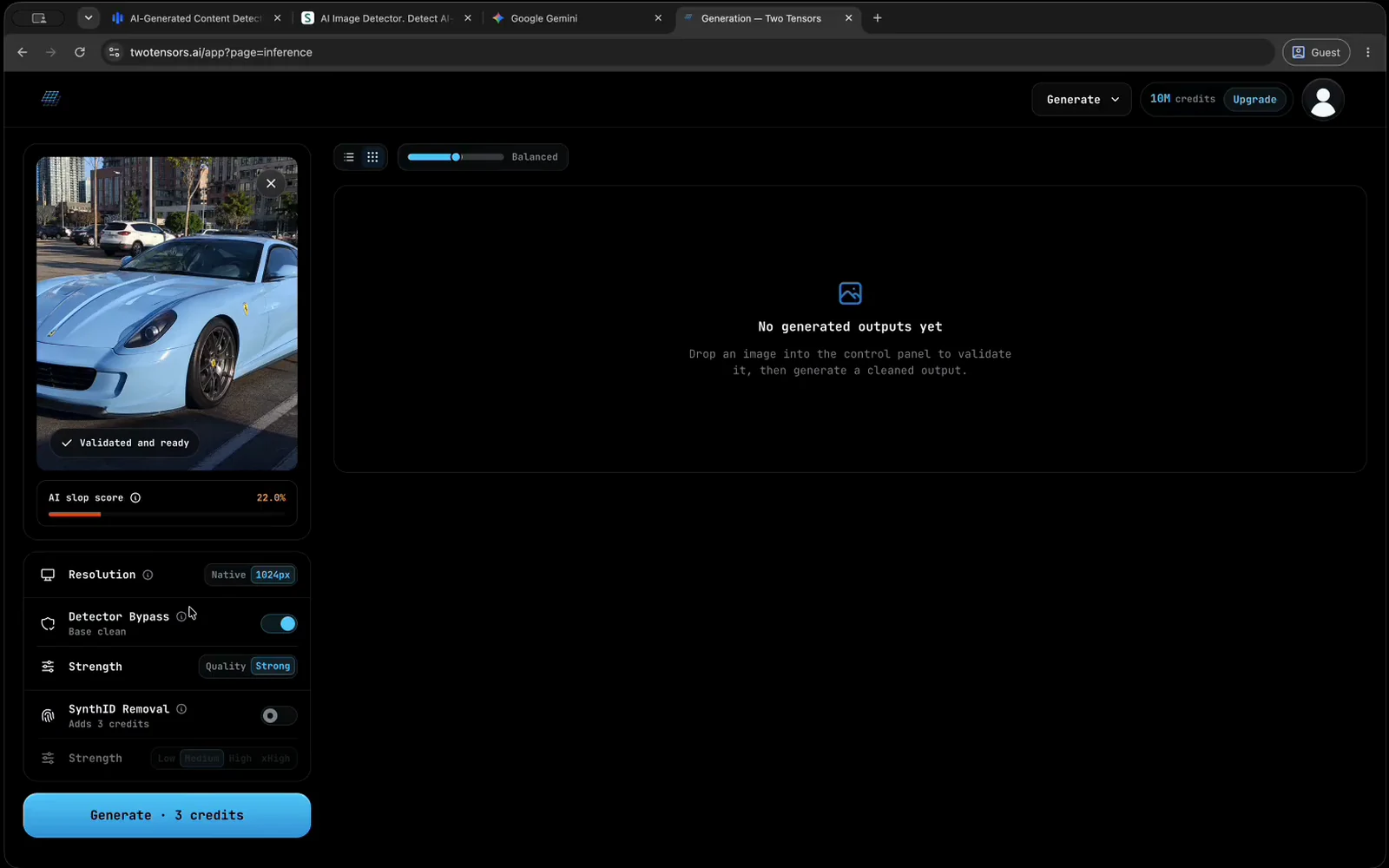
The main cleaning stage, on by default. Leave it on whenever a detector score is the problem. Turn it off only when you want the SynthID stage by itself, which makes the job a watermark-only run.
Forensic Cleaner by Two Tensors
How to Remove AI Detection From an Image
Watch the video or follow the six steps below.
Follow these six steps.
The cyan box shows where to look.
-
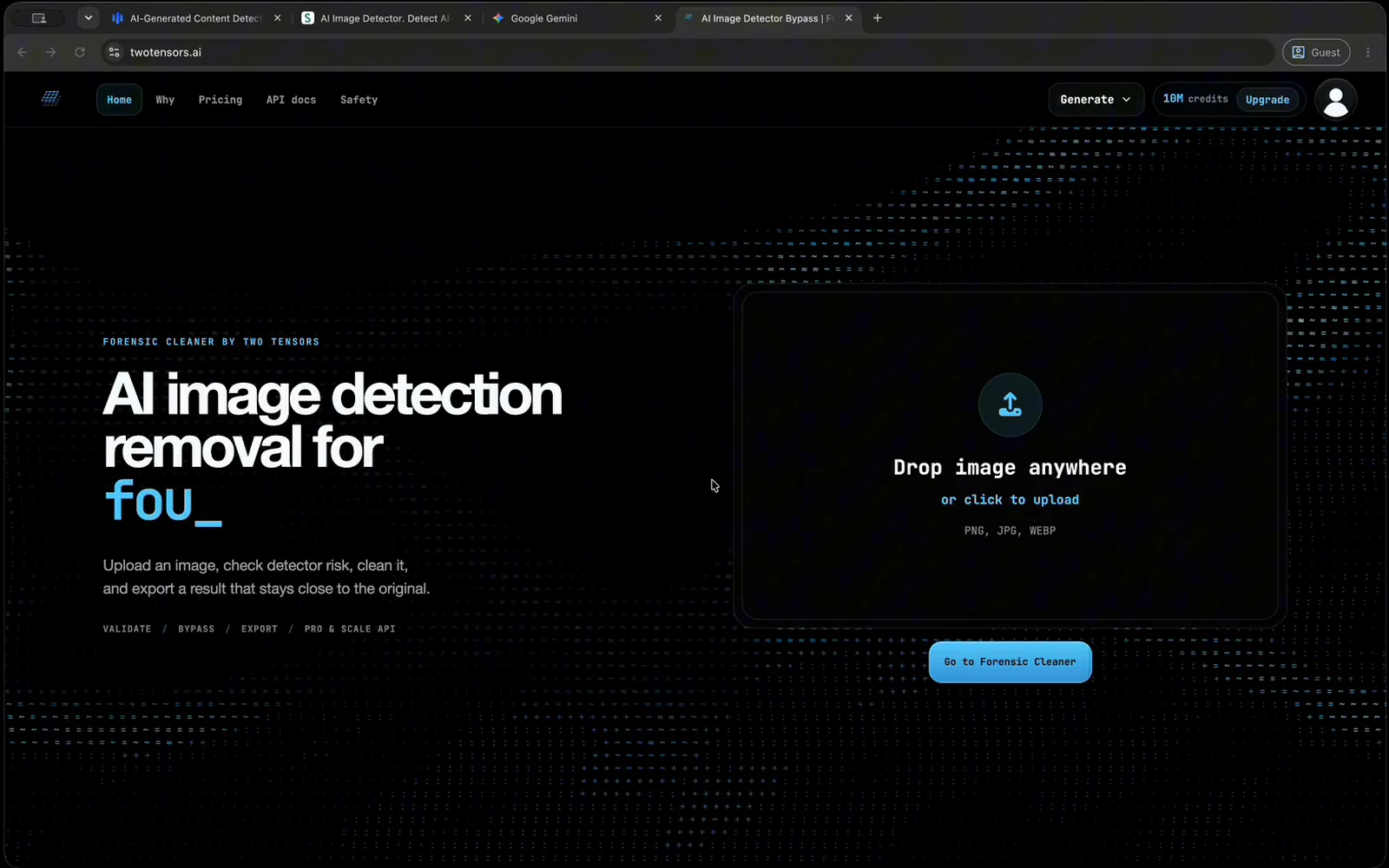
Open Forensic Cleaner
Open the cleaner and sign in, or create a free account first.
-
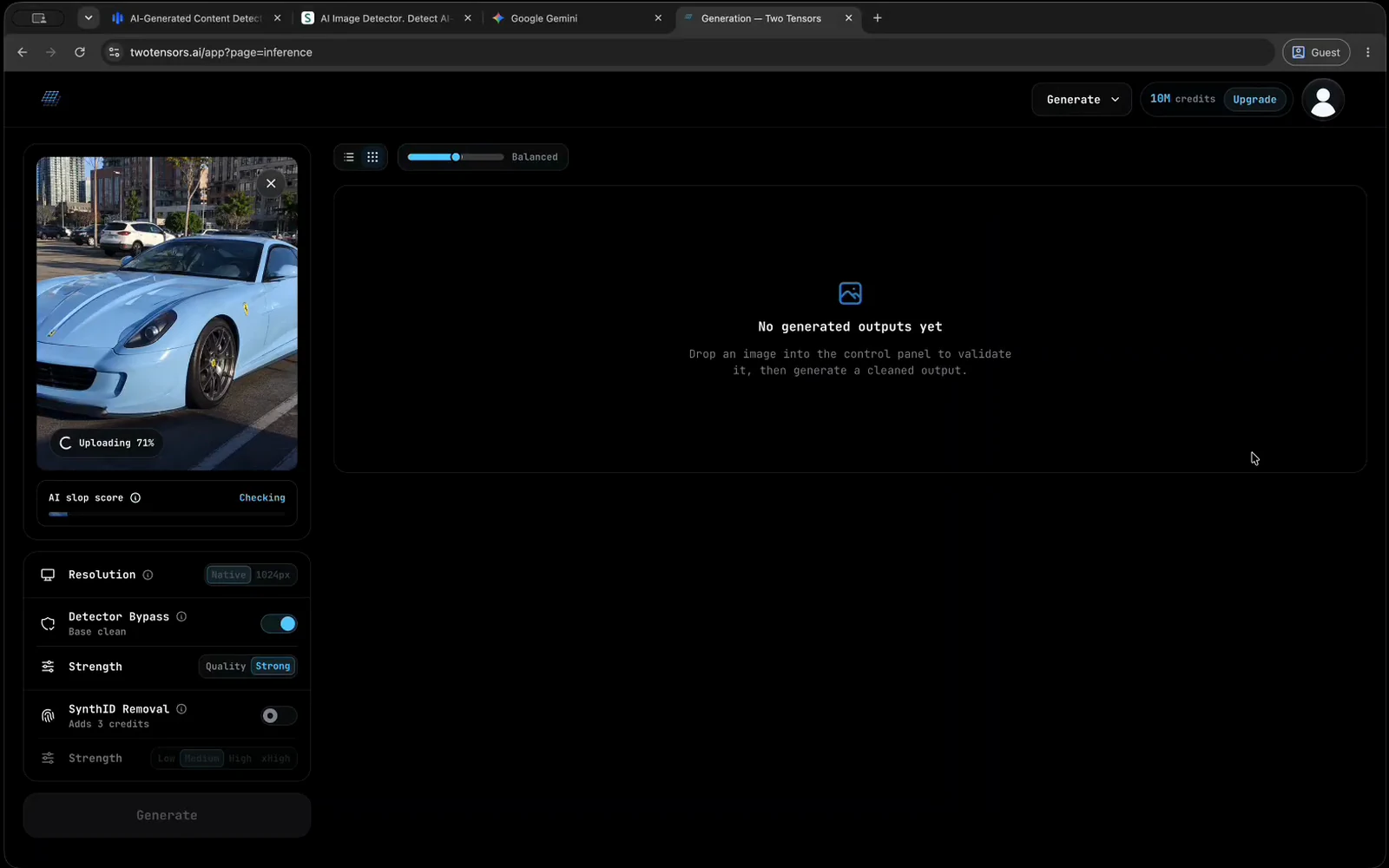
Upload your image
Drop in a PNG, JPG, or WEBP and wait for the upload to finish.
-
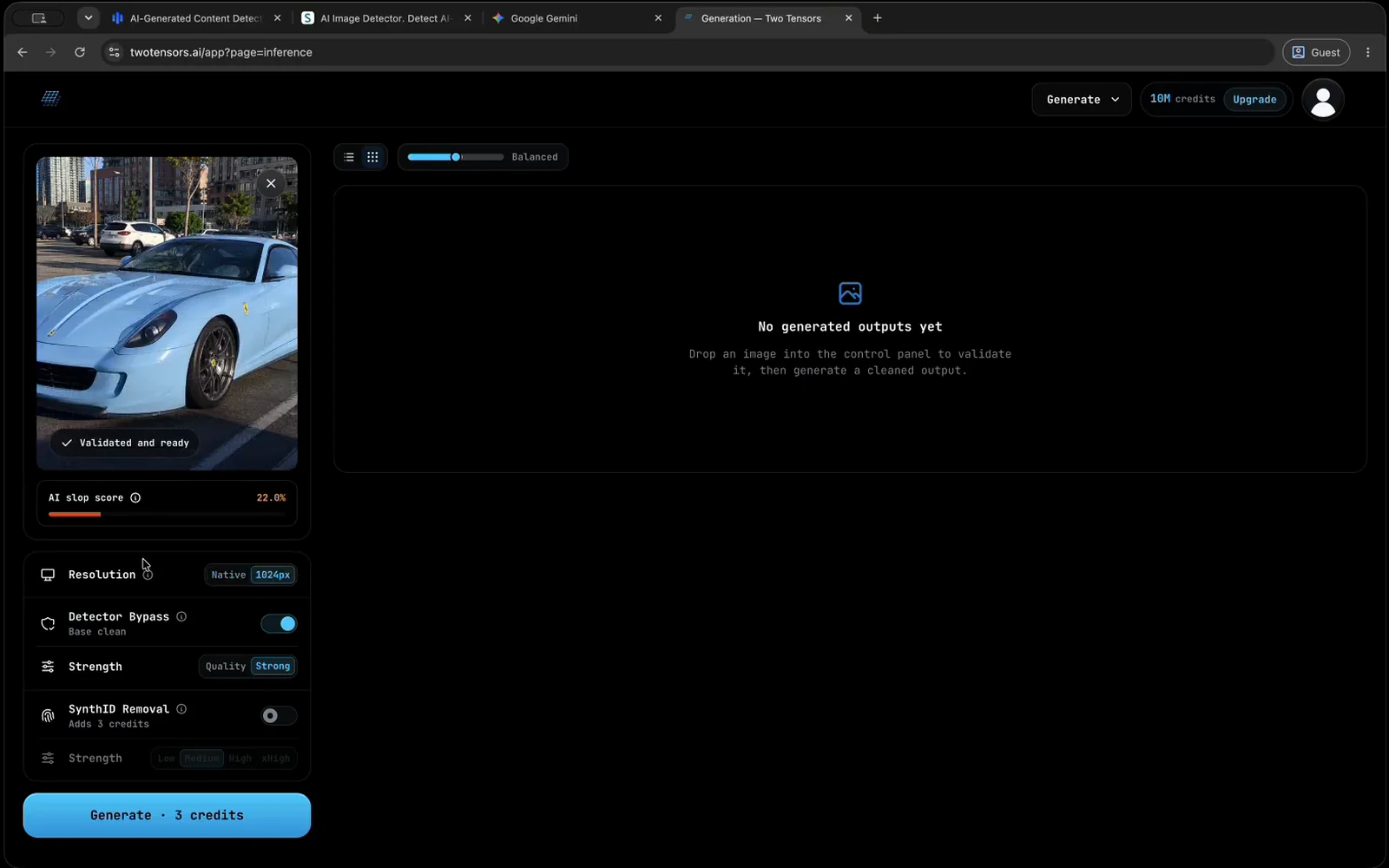
Check validation
Make sure the image is ready and check its score.
-
Choose your settings
Pick an output size and strength. For Gemini or OpenAI sources, enable SynthID Removal and start at medium.
-
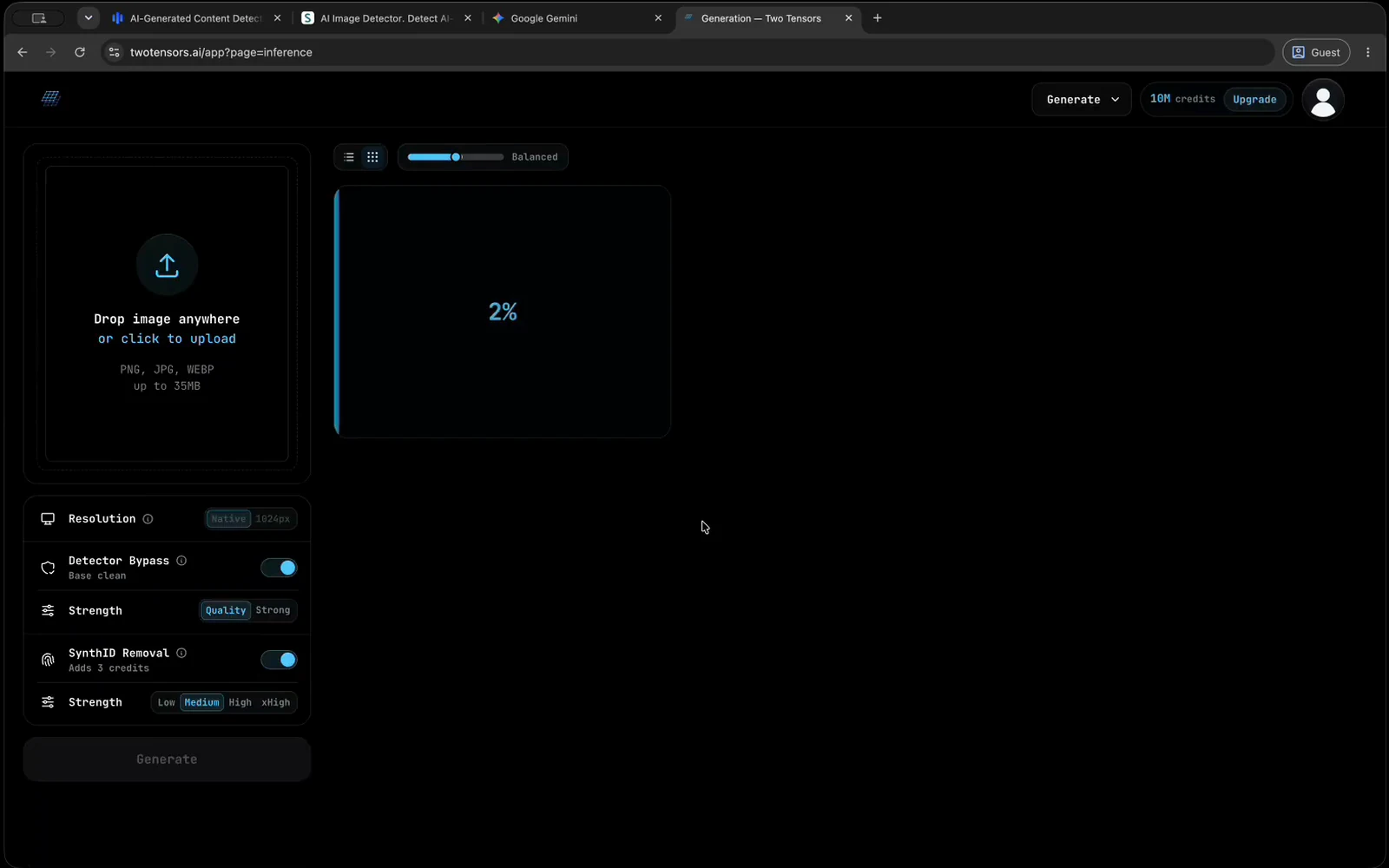
Start cleaning
Check the credit cost, click Generate, and wait for processing to finish.
-
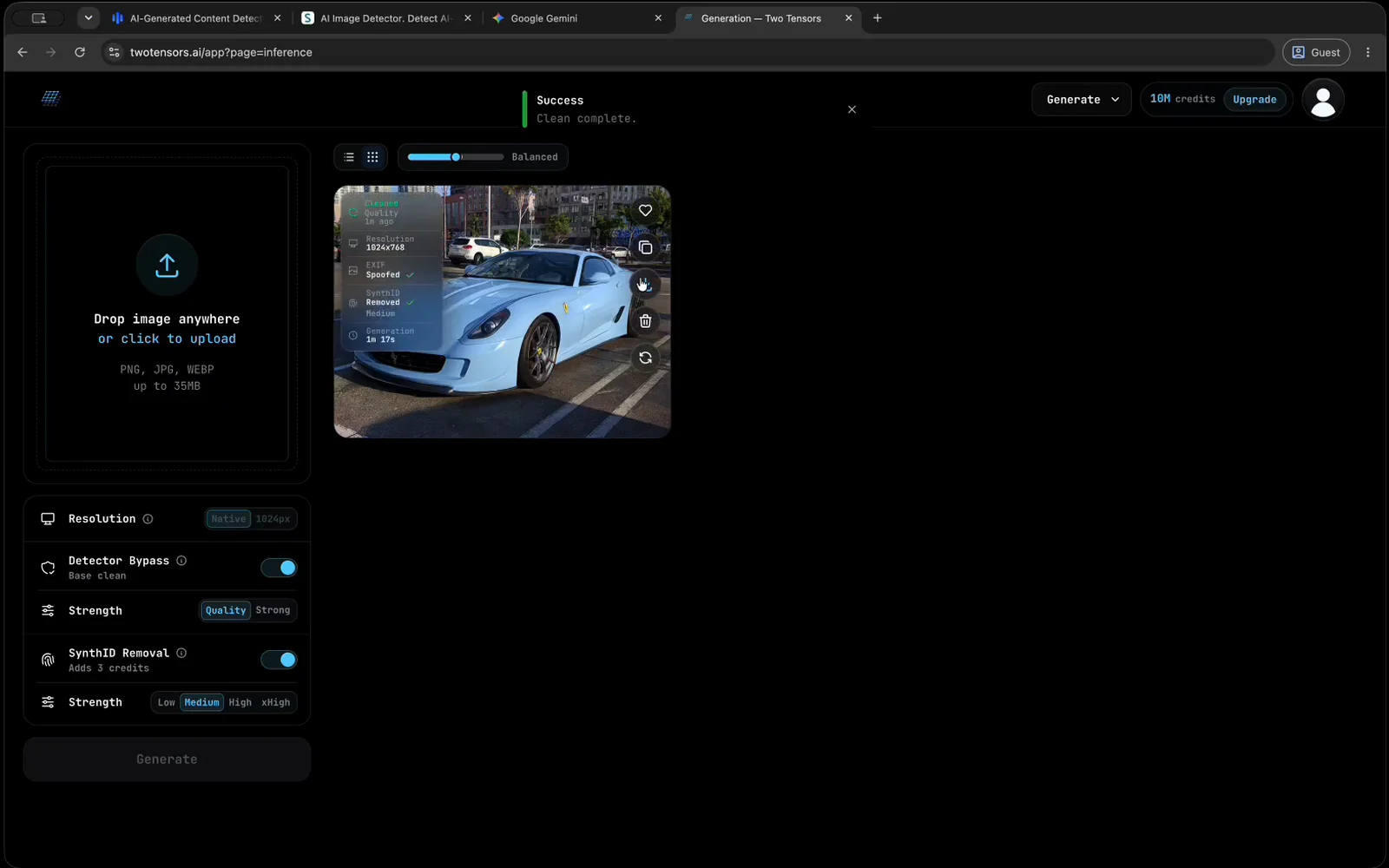
Download the result
Review the cleaned image, then use the download action.
What removing AI detection from an image actually changes.
An image can be marked as AI in four different ways. Each one is handled by a different part of the workflow above, which is why step 4 has separate switches instead of one slider.
When people ask how to remove AI detection from an image, they usually mean that a detector flagged the file and they want that to stop. Most detectors do not read a label on the image. They score statistical patterns in the pixels that generated images tend to share, and they return a probability. The Detector Bypass stage works on those patterns: it reduces the detector-facing signals while keeping the picture close to the original, rather than redrawing it into something new.
That is only one of the ways an image can say it was made by AI. Google models such as Gemini, Imagen, and the Nano Banana image models also embed an invisible SynthID watermark in the pixels, and a detector score has nothing to do with it. Files can carry provenance metadata such as C2PA manifests and Content Credentials. Images saved from the Gemini app can also carry a visible sparkle logo in a corner.
Knowing which of these you are dealing with saves credits. A render from a tool that does not watermark needs only the detector stage. An image from Gemini or another Google model is a candidate for both the detector stage and SynthID removal, which the SynthID remover page covers in depth. If all you need is a file without camera and provenance tags, the image metadata remover page covers that on its own.
Four signals, four fixes
- Detector patterns: Detector Bypass, in Strong or Quality mode.
- SynthID watermark: the optional SynthID Removal stage.
- Provenance metadata: removed from every export.
- Visible Gemini logo: removed automatically during validation.
What each setting does, and when to change it.
Step 4 is the only real decision in the workflow. These are the controls you will see, and when it is worth moving off the default.
The default mode, and the only one on a free account. It pushes hardest on detector-facing signals, so it is the most likely to work on the first attempt. On difficult sources it can soften fine detail or shift color, which shows first on small or distant faces.
The gentler mode, on paid plans. Use it when Strong worked but the output no longer looks like your picture. It touches the image less, which also means it leaves more behind, so it is a second attempt rather than a default.
A free account exports at up to 768px on the long edge. Paid plans keep the source resolution up to about 2 megapixels, with an optional 1024px downscale. Larger uploads are scaled down to fit, and a smaller export is not automatically a worse result.
The SynthID Removal stage and its four strengths
SynthID Removal is a separate switch that runs before the detector stage, so one job can chain both and hand you a single download. Turn it on for images that came out of Google models such as Gemini, Imagen, or Nano Banana; the tip next to the switch in the app also suggests it for images made with OpenAI products. Then pick one of four strengths: low, medium, high, or x_high.
Start at medium. If small faces, fine hair, or small text start to distort, drop to low. If the watermark is still reported, step up one level at a time rather than jumping to x_high, because higher strengths work harder at the watermark and take more detail out of the image. On a paid plan, the 1024px downscale option also tends to make this stage more reliable. Removal is not guaranteed on every image, and when the watermark is deeply embedded, a different source image is sometimes the honest answer.
What a job costs
The cost is shown before you click Generate, and validation itself spends no credits. Detector cleaning costs 3 credits for an image up to about 1 megapixel, and 4 to 6 credits when the processed area is larger. The SynthID stage adds 3 credits, and a SynthID-only job with Detector Bypass switched off costs 3 credits. A free account gets 10 credits a month, which covers about three small jobs. Plans and credit packs are on the pricing page.
How to read the AI slop score.
Validation runs before you commit anything. It checks the dimensions, applies the safety checks, and returns an AI slop score: the app's estimate of how hard this particular image will be to clean. It is not a verdict on whether the image is AI, and a high score is not a prediction that the run will fail.
What the score changes is how you start. A low score means you have room to try Quality first and keep the picture closer to the source. A high score tells you to start on Strong, to expect the cleaning effect to be more visible in the output, and to plan for a second attempt. Above 18%, the app asks you to confirm before it generates, and suggests either trying another image or continuing anyway. Continuing is often worth it.
The estimate is less reliable on inputs that are not photographs: infographics, digital art, screenshots, memes, text-heavy layouts, charts, diagrams, collages, and UI mockups. On those, treat the score as a rough guide rather than a forecast.
Score bands in the app
- 0% to 18%: easier to clean.
- 18.1% to 35%: moderate. Start on Strong.
- Above 35%: harder. Expect a visible effect.
- Below 10%: often a good candidate for Quality.
What results to expect.
Across three popular AI image detectors, internal testing puts the clean rate at about 90%. That number is ours, measured in house, and it is an average over a test set rather than a statement about your file.
Forensic Cleaner reduces detector-facing signals. It does not make an image undetectable, and it makes no commitment about how any named detector or platform will behave, particularly after they retrain. Outcomes move with the picture, with which detector you test against, and with when that detector last changed.
Check the result at full size before you download
A good result looks like your image. Open the cleaned copy at full size and compare it with the source: faces, hair, text, edges, and color are where heavier processing shows first. If it looks too processed, rerun it with Quality on a paid plan, or with a lower SynthID strength if that stage was on. Every finished run stays in your history, so you can compare attempts side by side instead of guessing which one was better.
Why a smaller export can score better
Resolution is not only a plan feature. Some widely used detectors are unstable at high resolution: their scores track sharpness and JPEG artifacts more than how the image was actually made, which is also why they sometimes call real photographs generated. On a paid plan, the optional 1024px downscale can improve the outcome for that reason, even though the plan would otherwise keep the source resolution. For two recorded examples with their readings before and after, see the before-and-after results.
If the cleaned image is still flagged.
Work through these in order rather than rerunning the same settings. Each rerun costs credits, so change one thing at a time.
Make sure the file you give the detector is the downloaded result, not the original. Testing the source by mistake is the most common reason a clean looks like it failed.
If you ran Quality, rerun the image on Strong. Quality touches the picture less by design, so it also leaves more of the detector-facing signal behind.
On a paid plan, rerun with the optional 1024px downscale instead of the source resolution. Some detectors react to sharpness and compression, and a smaller export can score better.
If the source came from a Google model, switch SynthID Removal on. If it was already on, raise the strength by one level, not straight to x_high.
Detectors disagree with each other all the time, and several flag ordinary photographs. One bad score from one tool may say more about the tool than about your file.
If an image fails everywhere at every setting, it is a hard source. A different frame or a regenerated image usually gets through faster than a fifth attempt at this one.
If you want to know what the detectors are measuring before you change anything, how AI image detection bypass works explains where they break.
Making an AI image less detectable, not undetectable.
A lot of searches ask how to make an AI image undetectable. No tool can honestly promise that, and this one does not. Detectors are retrained, new ones appear, and they often disagree with each other about the same file. What Forensic Cleaner can do is reduce the detector-facing signals, remove the SynthID watermark when you ask it to, and strip provenance metadata on export. Together, those make an image read as less AI to the detectors in use today, without promising anything about tomorrow's.
It also helps to know what does not do much on its own. A screenshot keeps the same pixels a detector already scored. Google says SynthID is built to survive common edits such as cropping, resizing, and re-saving in another format. Stripping metadata alone does nothing to a detector that reads pixels. If the goal is to remove AI image detection, the work happens at the pixel level; metadata is a separate, smaller job.
Less detectable is a reasonable goal for work you made or hold a license to use, such as your own renders and edits that automated systems keep scoring without context. It is not a way to deceive anyone. For a plain account of what removing AI signals can and cannot do to a picture, read how to get rid of AI.
Three things to know before you upload.
- Metadata is removed on export The export removes EXIF, IPTC, XMP, C2PA manifests, Content Credentials, and other AI provenance metadata. Camera, timestamp, and location tags do not travel with the cleaned file, so keep your original if you need them.
- Finished runs stay in your account until you clear them Each completed job is kept in your history, where you can download it again, copy it, favorite it, rerun it at another setting, or delete it. What is stored and for how long is written up in the privacy policy.
- Ownership is the line This is a tool for images you made or hold a license to process. Fraud, impersonation, non-consensual imagery, and other illegal uses are prohibited, and the safety rules say so plainly. Results are not guaranteed.
FAQ
Questions people ask mid-task.
What do I need before I can clean an image?
A PNG, JPG, or WEBP file that you made or hold a license to process, and an account. A free account includes 10 credits a month, exports at up to 768px on the long edge, and runs Strong mode. Anything in another format has to be converted before upload.
Can I remove AI detection from an image with a free account?
Yes, within the free plan's limits. A free account gets 10 credits a month, Strong mode, and exports at up to 768px. A small detector cleaning job costs 3 credits and the SynthID stage adds 3 more, so the monthly allowance covers about three small jobs. Paid plans add Quality mode, the source resolution up to about 2 megapixels, an optional 1024px downscale, and more credits.
Should I run Strong or Quality?
Start on Strong. It reduces detector-facing signals harder, so it is the setting most likely to work on the first attempt. Move to Quality, which is on paid plans, when Strong passed but changed the picture more than you can live with, or when the slop score is very low.
Why is my export smaller than the file I uploaded?
On a free account, output is capped at 768px on the long edge. Paid plans keep the source resolution up to 2,500px on the long edge and about 2 megapixels in total, so larger uploads are scaled down to fit; the limit exists because of GPU cost. A smaller file is not purely a limitation: on paid plans, the optional 1024px downscale sometimes scores better against detectors that react to sharpness and compression.
The AI slop score came back high. Is it still worth running?
Usually yes. The score is an estimate of how hard this specific image will be to clean, not a prediction that the run will fail. Above 18% the app asks you to confirm before it generates. A high score means you should start on Strong, expect the cleaning effect to be more visible, and expect that more than one attempt may be needed.
The cleaned file is still being flagged. What do I try next?
Check first that you are testing the export and not the original, which is the most common cause. Then switch to Strong if you were on Quality, try the optional 1024px downscale on a paid plan, turn on SynthID Removal if the source came from a Google model, and test against a second detector. Detectors disagree with each other constantly, and several of them flag ordinary photographs.
Does this remove a SynthID watermark too?
Only if you turn it on. SynthID removal is a separate optional stage rather than part of the main clean. Medium strength is a sensible starting point, lower strengths distort small faces and text less, and the optional 1024px downscale on a paid plan tends to make the stage more reliable. Removal is not guaranteed on every image.
Does it remove the visible Gemini logo?
Yes. During validation the app looks for the visible Gemini sparkle logo and removes it automatically, on every plan including a free account, and every job you run on that upload starts from the version without the logo. To get an export you still run at least one stage, Detector Bypass or SynthID Removal, so the job costs at least 3 credits.
Can I make an AI image completely undetectable?
No tool can honestly promise that. Forensic Cleaner reduces detector-facing signals, and internal testing puts the clean rate at about 90% across three popular AI image detectors, but that is an in-house average over a test set, not a guarantee for your file or for every detector. Detectors also change when they retrain.
Does cleaning remove metadata and Content Credentials?
Yes. The export removes EXIF, IPTC, XMP, C2PA manifests, Content Credentials, and other AI provenance metadata. That is separate from SynthID, which lives in the pixels rather than in the file's metadata, and from the detector score, which is computed from the pixels too.
Need automation? Pro and Scale plans include the API, documented in the API docs.
Clean your first image.
Create a free account to get 10 credits a month, then run the same six steps on your own image.
Free accounts get 10 credits a month at 768px in Strong mode. Starter, Pro, and Scale keep the source resolution up to about 2 megapixels, add the optional 1024px downscale, and unlock Quality mode, and Pro and Scale add API access.